From Triangles to True CAD: How We Healed a V8 Engine Block
Written by Only CAD Models Founder • Sep 29, 2026
If you work in 3D printing or mechanical engineering, you already know the frustration of dealing with .stl files. They are the universal standard for sharing 3D models, but they come with a massive catch: they are almost impossible to edit.
When a smooth, precision CAD model is exported to an .stl, its beautiful, curved surfaces are violently shattered into thousands of tiny, flat triangles. Not only does this make the model completely useless if you want to modify a fillet or extend a cylinder, but it also causes the file size to balloon out of control.
So, you look for a tool to convert the STL back into a workable CAD format like .step. But there is a dirty secret in the file-conversion industry.
The Illusion of "Free" Converters
If you use a standard, free online file converter, you might notice something horrifying: the output .step file is massively larger than the .stl file, and it's still covered in thousands of tiny triangles!
That's because standard converters don't actually convert the geometry. They just take the flat triangles, put a .step file wrapper around them, and hand it back to you. The file becomes incredibly heavy, crashes your CAD software, and is just as un-editable as before.
From Triangles to True Math: How We Do It
At Only CAD Models, we don't just change the file extension. We reverse-engineer the geometry.
Instead of translating triangles "as is", our engine uses an advanced mathematical segmentation algorithm. It scans the raw mesh, clusters the triangles together, and recognizes the underlying shapes. If it sees a round piston shaft, it deletes the thousands of tiny triangles and heals the area with a single, perfectly smooth, mathematically true Cylinder. If it sees a flat engine wall, it replaces the messy mesh with one solid Plane.
The Proof is in the Data: The V8 Engine Test
To demonstrate this, we downloaded a highly complex V8 Engine Block by shendriks from Cults3D.
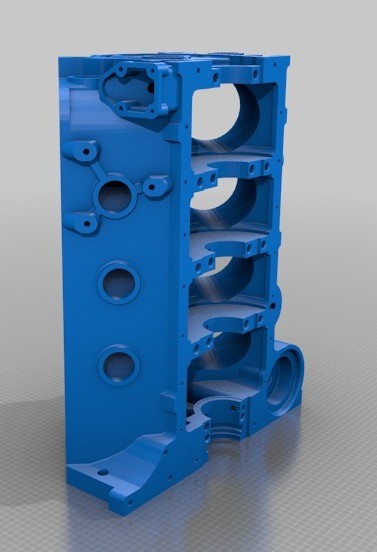
The raw .stl file was dense, containing 271,592 triangles and weighing in at 73.3 MB.
If you run this file through a standard "dumb" converter, it blindly translates those triangles and produces a bloated, completely unusable 246 MB .step file.
Instead, we ran it through our simplification algorithm. The engine detected the true geometry—the precise cylinders of the piston chambers, the flat planes of the engine block—and deleted the unnecessary triangles.
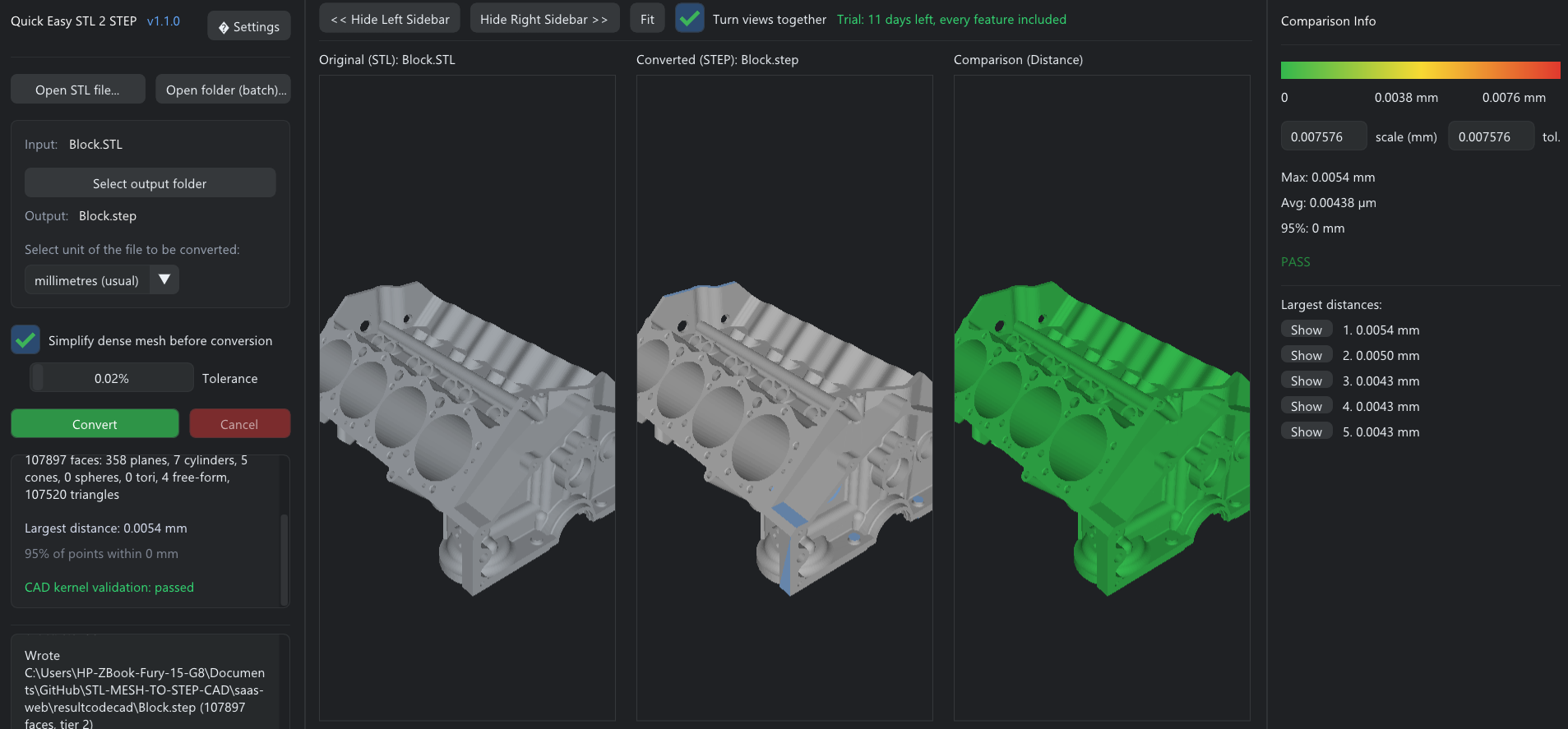
It reconstructed the exact same part, but the resulting .step file was only 107 MB. That is a massive 56% reduction in size compared to a raw conversion, and it resulted in a model that is infinitely smoother and perfectly editable in your CAD software.
Stop Settling for Broken Geometry
You shouldn't have to redesign an entire part from scratch just because you lost the original CAD file, and you shouldn't have to deal with 200MB+ files that crash SolidWorks.
Recover true, editable geometry.
Try our deterministic algorithm today. Upload your STL and get a native STEP file back in seconds.
Convert File Now